



联想ThinkPad X61蓝牙驱动是一款非常实用的x61笔记本蓝牙驱动程序,此驱动可以快速的帮助用户解决在使用蓝牙时无法被失败或传输出错等问题,帮助用户能够正常在电脑上使用蓝牙功能!
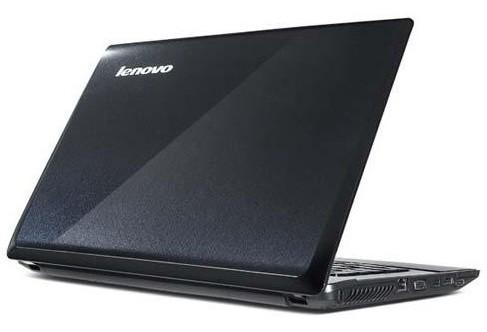
联想ThinkPad X61蓝牙驱动简介
thinkpadx61蓝牙驱动是联想x61笔记本电脑推出的蓝牙驱动程序。一般的联想笔记本电脑如果要使用蓝牙传输就必须先安装蓝牙驱动,它能让你电脑蓝牙运行更加的稳定,与其他端口连接也更加的方便快捷!
蓝牙信息
蓝牙芯片:thinkpad bluetooth with enhanced data rate ii
winxp驱动版本:02/09/2009,5.5.0.6500
vista驱动版本:03/08/2008, 6.1.0.4500
硬件id:usb\vid_0a5c&pid_2145
支持机型
thinkpad sl300
thinkpad sl400, sl410(k)
thinkpad sl500, sl510(k)
thinkpad r60(*1), r60e(*1), r61(*1), r61e(*1), r61i(*1)
thinkpad t60(*1), t60p(*1), t61(*1), t61p(*1)
thinkpad x60(*1), x60s(*1), x60 tablet(*1)
thinkpad x61(*1), x61s(*1), x61 tablet(*1)
thinkpad edge e10, e30, e31, e40, e50
thinkpad x100e, x120e
thinkpad x200, x200s, x200 tablet
thinkpad x201, x201i, x201s, x201 tablet
thinkpad x300(*1), x301
thinkpad l410, l412 (*2)
thinkpad l512 (*2)
thinkpad r400
thinkpad r500
thinkpad t400, t400s, t410(*2), t410i(*2), t410s(*2), t410si(*2)
thinkpad t500, t510(*2), t510i(*2)
thinkpad w500, w510(*2)
thinkpad w700, w700ds, w701, w701ds
支持部件
thinkpad bluetooth with enhanced data rate
thinkpad bluetooth 2.1 with enhanced data rate
支持系统
microsoft windows 7 32-bit, 64-bit
microsoft windows vista 32-bit, 64-bit
安装教程
下载解压压缩包打开文件夹。
双击带有后缀_exe驱动程序
自动检测蓝牙设备。
等待检测完成即可。
按照步骤进行安装即可。
更新日志
v6.2.1.3100 版本更新
下面机型停止支持microsoft windows7
thinkpad l412
thinkpad l512
thinkpad t410, t410i, t410s, t410si
thinkpad t510, t510i
thinkpad w510






 360流量卫士
 OneBlack
 驱动人生10
 新氧医美
 汇彩网彩票
 360解压电脑版安装包
 WPS Office 2019免费办公软件
 QQ浏览器2023 v11.5绿色版精简版(去广告纯净版)
 下载酷我音乐盒2023
 酷狗音乐播放器|酷狗音乐下载安装 V2023官方版
 360驱动大师离线版|360驱动大师网卡版官方下载 v2023
 360浏览器极速版
 【360浏览器】360安全浏览器下载 官方免费版2023 v14.1.1012.0
 【优酷下载】优酷播放器_优酷客户端 2019官方最新版
 腾讯视频播放器2023官方版